
 เครื่องยนต์
อะไรคือความแตกต่างระหว่างแจ็ค rj45 และแจ็คสโตน?
2025-11-24
Differences between RJ45 Jacks and Keystone Jacks
1. Fundamental Difference: Different Roles
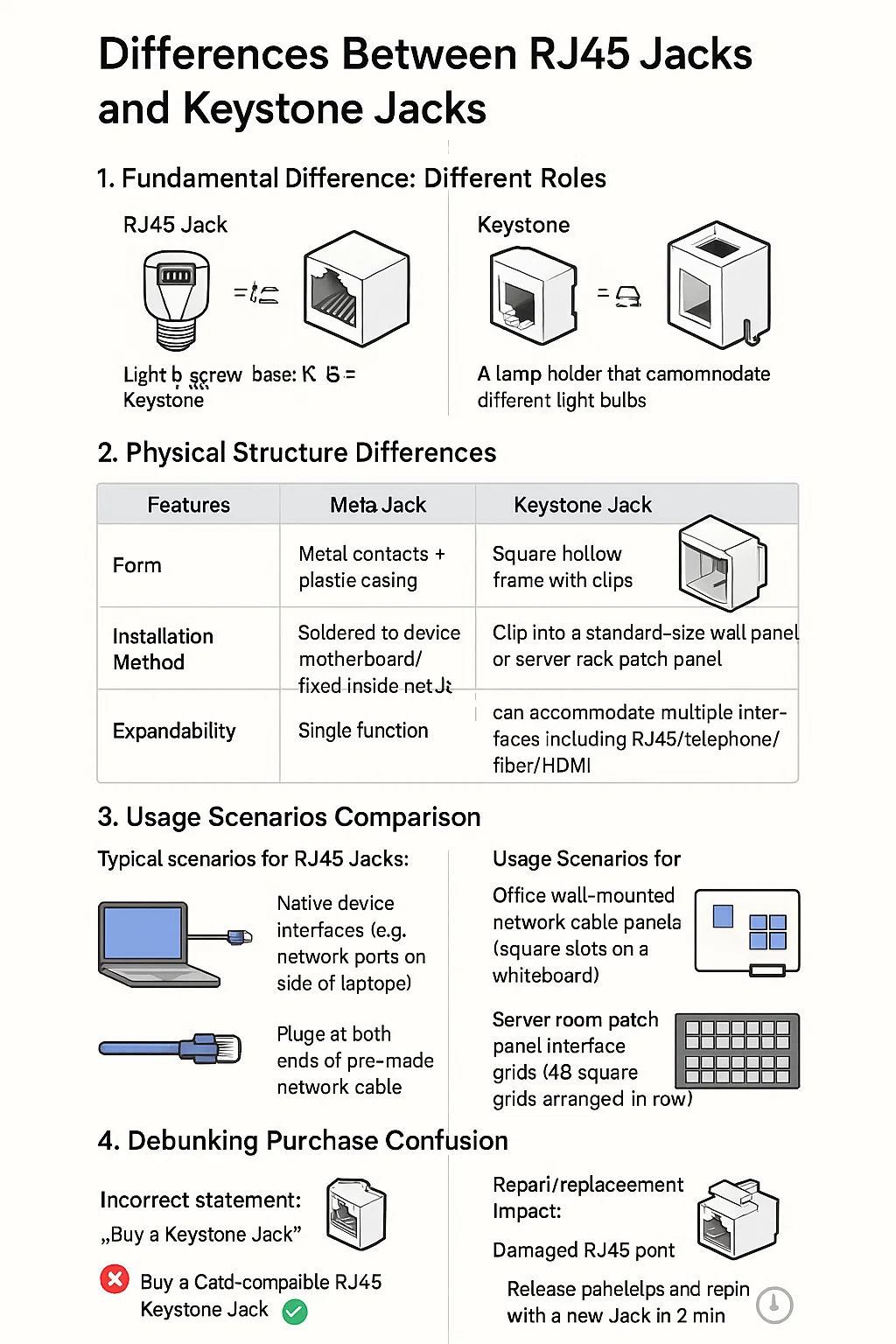
RJ45 Jack: Refers to the physical interface standard, the square network cable slot commonly found on devices (such as computer network ports and router LAN ports). It defines the arrangement and size of the eight metal contacts.
Keystone Jack: A modular mounting frame. It is not the interface itself, but a square plastic base used to secure RJ45 Jacks (or other interfaces). It can be clipped into wall panels or patch panels like building blocks.
Analogy: RJ45 = the screw base of a light bulb; Keystone = a lamp holder that can accommodate different light bulbs.
2. Physical Structure Differences
| Feature | RJ45 Jack | Keystone Jack |
|---|---|---|
| Physical Form | Metal contacts plastic housing | Square frame with locking clips |
| Function | The actual port for Ethernet cables | Mounting frame that holds ports |
| Installation | Built into devices (PCs, routers) | Snap-fit into wall plates/patch panels |
| Flexibility | Only supports Ethernet | Holds RJ45, phone, fiber, HDMI ports |
| Replacement | Requires soldering/full cable change | Swap modules in seconds without rewiring |
3. Usage Scenarios Comparison
Typical scenarios for RJ45 Jacks:
Native device interfaces (e.g., network ports on the side of laptops)
Plugs at both ends of pre-made network cables
Typical scenarios for Keystone Jacks :
Office wall-mounted network cable panels (square slots on a whiteboard)
Server room patch panel interface grids (48 square grids arranged in a row)
4. Debunking Purchase Confusion
Incorrect statement: "Buy a Keystone Jack" ** (Keystone is a base, not a Jack on its own)
Correct statement: "Buy a Cat6-compatible RJ45 Keystone Jack" ** (Refers to the RJ45 component installed in the Keystone base)
5. Repair/Replacement Impact
Damaged RJ45 port: Requires disassembling and soldering the device motherboard (high difficulty) or replacing the entire network cable.
Damaged Keystone Jack: Release the panel clips and replace with a new Jack in 2 minutes (without touching the wiring inside the wall).
ร่วมมือกับ Puxin?
ติดต่อเราเพื่อดูว่าผลิตภัณฑ์ของเราสามารถเปลี่ยนแปลงธุรกิจของคุณได้อย่างไรและ
นำไปสู่ระดับต่อไป

บริษัท Ningbo Puxin Electronic Technology Co., Ltd. เป็นซัพพลายเออร์มืออาชีพด้านการวิจัยและพัฒนาและการผลิตผลิตภัณฑ์ด้านวิศวกรรมไฟฟ้าและสายไฟแบบบูรณาการ.
-

No.43 of Xiaotuanpu Road, Guanhaiwei Town, Cixi Ningbo City, เจ้อเจียง, จีน
-

-

+86-15924366333
-



ลิขสิทธิ์© Ningbo Puxin Electronic Technology Co., Ltd.
